Fast POS & billing
Create dine-in and takeaway orders, apply menu modifiers, record payment methods and print receipts from the POS.
SOFTWARE FEATURES
DineZA combines the everyday actions a restaurant needs in a fast, touch-friendly interface.
WHAT THIS INCLUDES
DineZA combines the everyday actions a restaurant needs in a fast, touch-friendly interface.
Create dine-in and takeaway orders, apply menu modifiers, record payment methods and print receipts from the POS.
Organize tables by section, track service status, and move or merge table orders when service requires it.
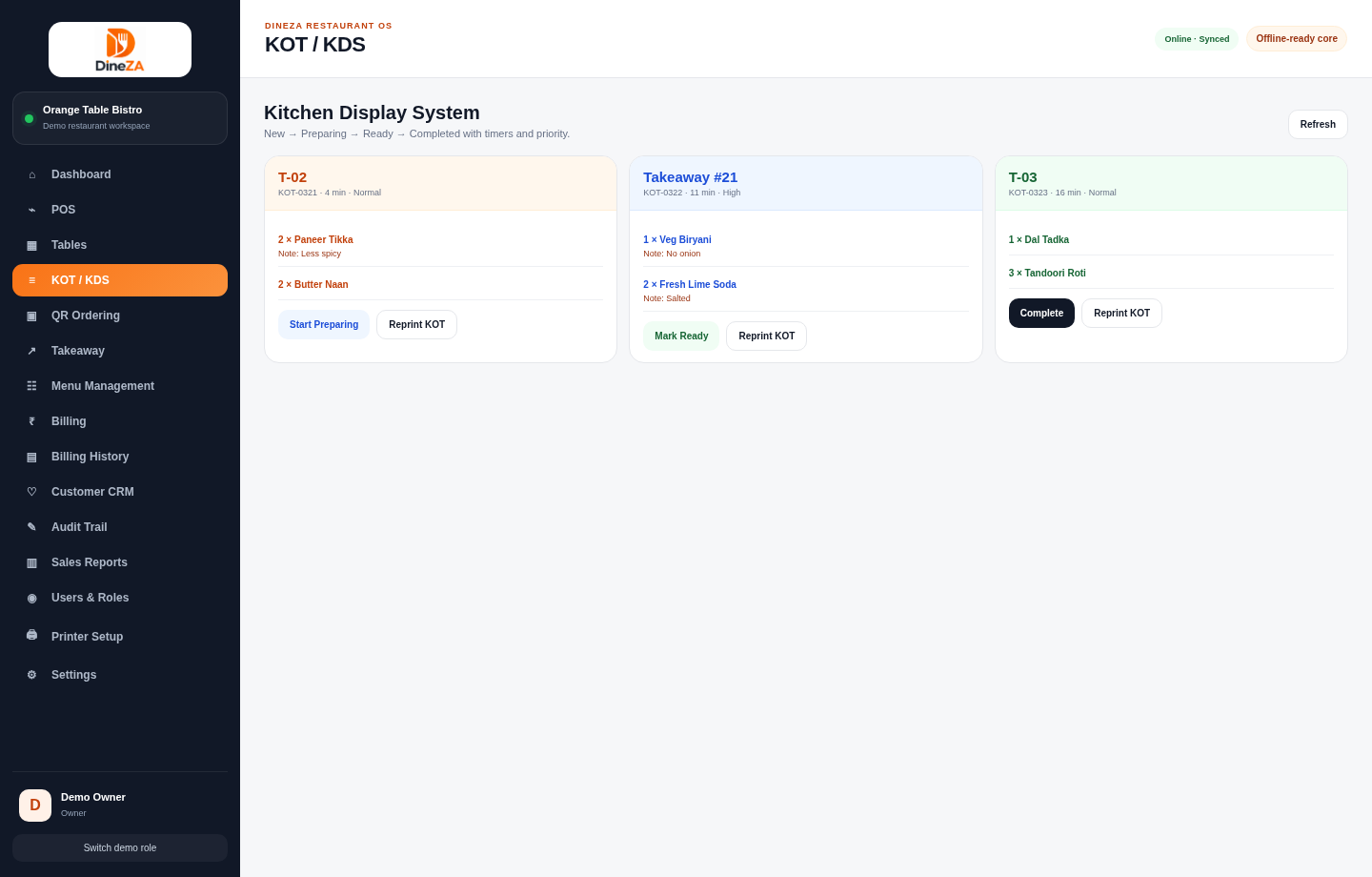
Send kitchen tickets and follow New, Preparing, Ready and Completed states through the KDS.
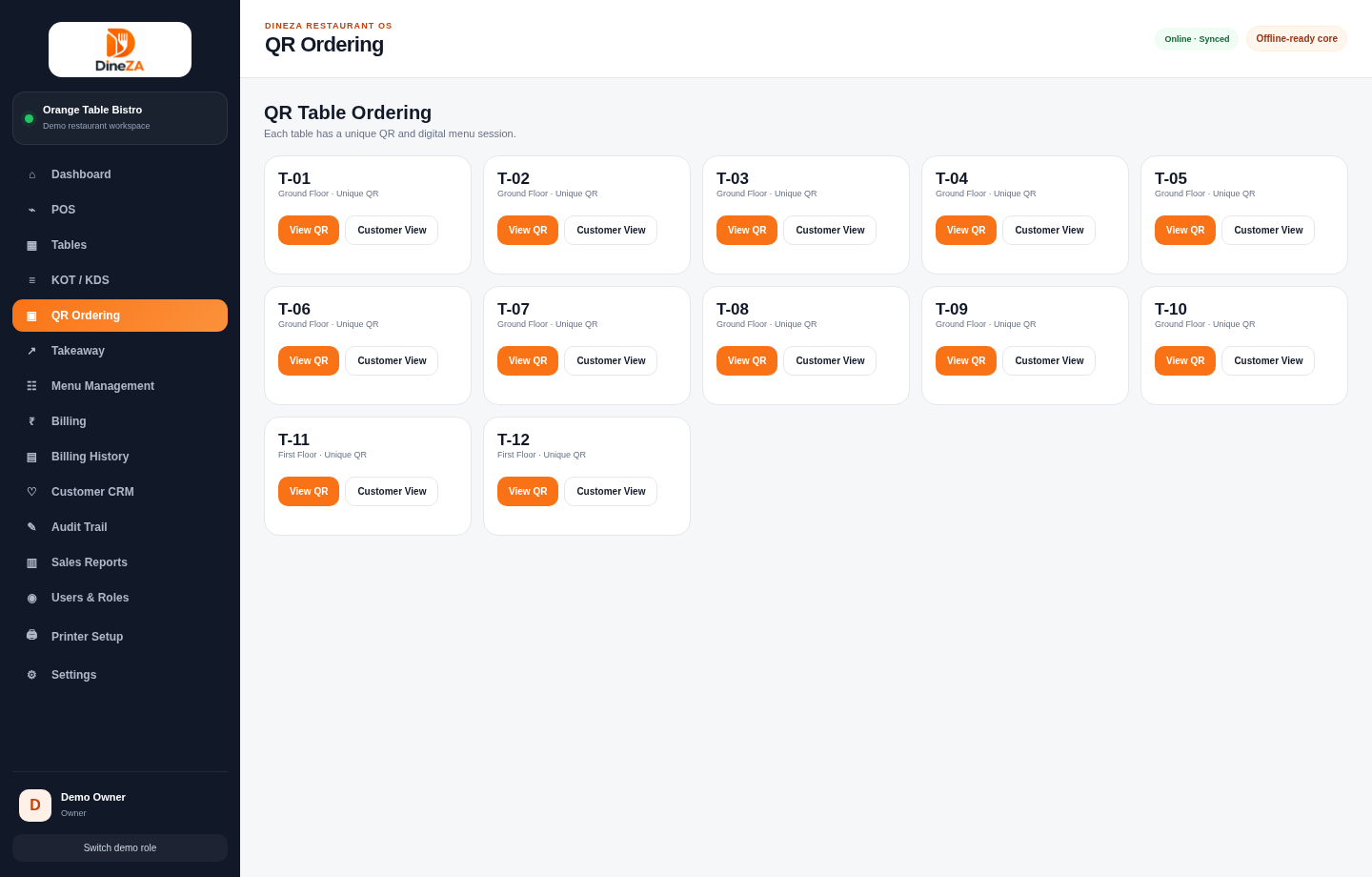
Let customers scan a table QR code, browse a menu and place requests with notes.
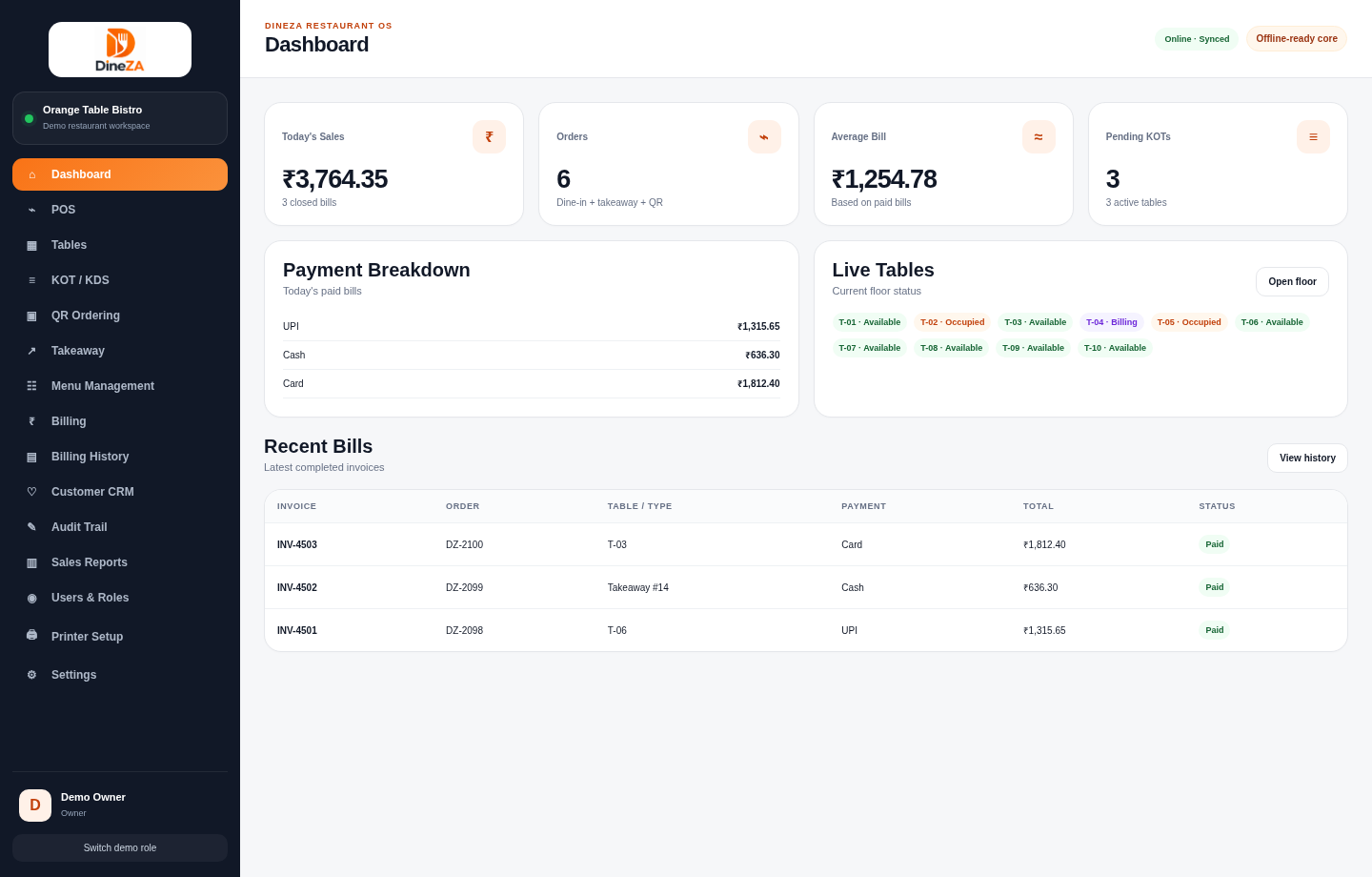
Review sales, bills, payment breakdowns and operational activity through available reports.
Continue selected core operations during connection interruptions and synchronize changes after reconnection.
Understand returning customers and order history in plans where CRM capabilities apply.
Use bill, KOT, billing-history reprint and report print views when required.
IN PRACTICE
See how POS, tables, kitchen tickets, QR ordering and reports work together in the demo.
OPERATIONAL DETAIL
Orders can be created at the counter or against a table, passed to the kitchen using KOT or KDS, updated during service and settled through supported billing flows.
Use touch-friendly POS ordering, category search, modifiers, notes and quantity controls.
Track KOT additions separately, keep preparation notes and monitor KDS order stages.
Review itemized bills, payment mode records, print receipts and access billing history.
INSIDE THE SOFTWARE
Real screens captured from the current browser-based demonstration—not stock interface graphics. The information shown is sample demo data.
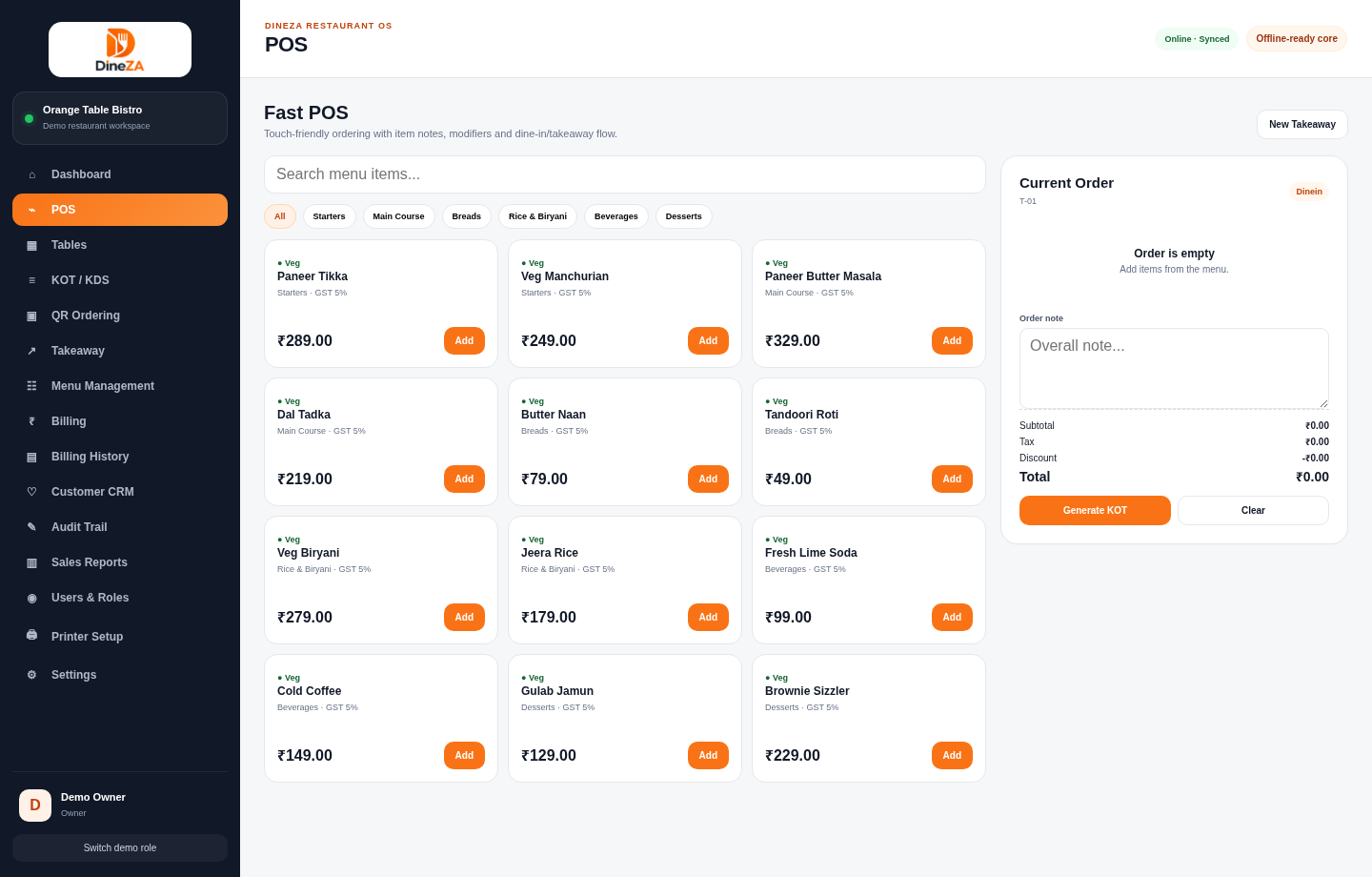
Open the working browser demo to navigate menus, try the available workflows and understand how the platform is organized. No registration or password is needed.
Launch interactive demo ↗Demo activity uses sample data stored in your browser. It is not connected to a production restaurant or hotel.
A clearer next step
Explore the product with our team and discuss how it fits your operation.